
Send app engagement back to Slate
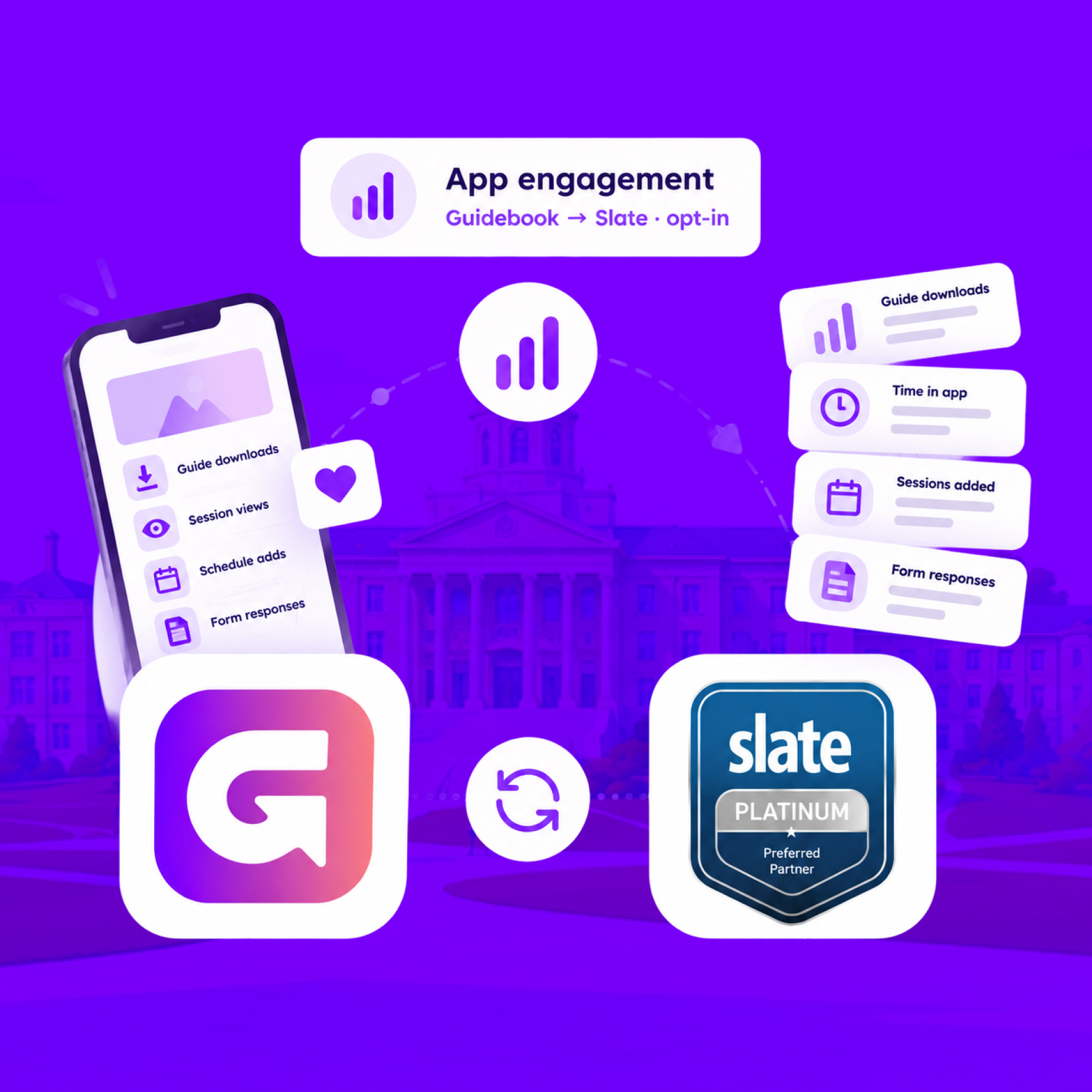
For students who opt in, downloads, schedule adds, views, and form responses land on their event registration every hour.
Send app engagement back to Slate
For students who opt in, downloads, schedule adds, views, and form responses land on their event registration every hour.
Build the campus event once in Slate
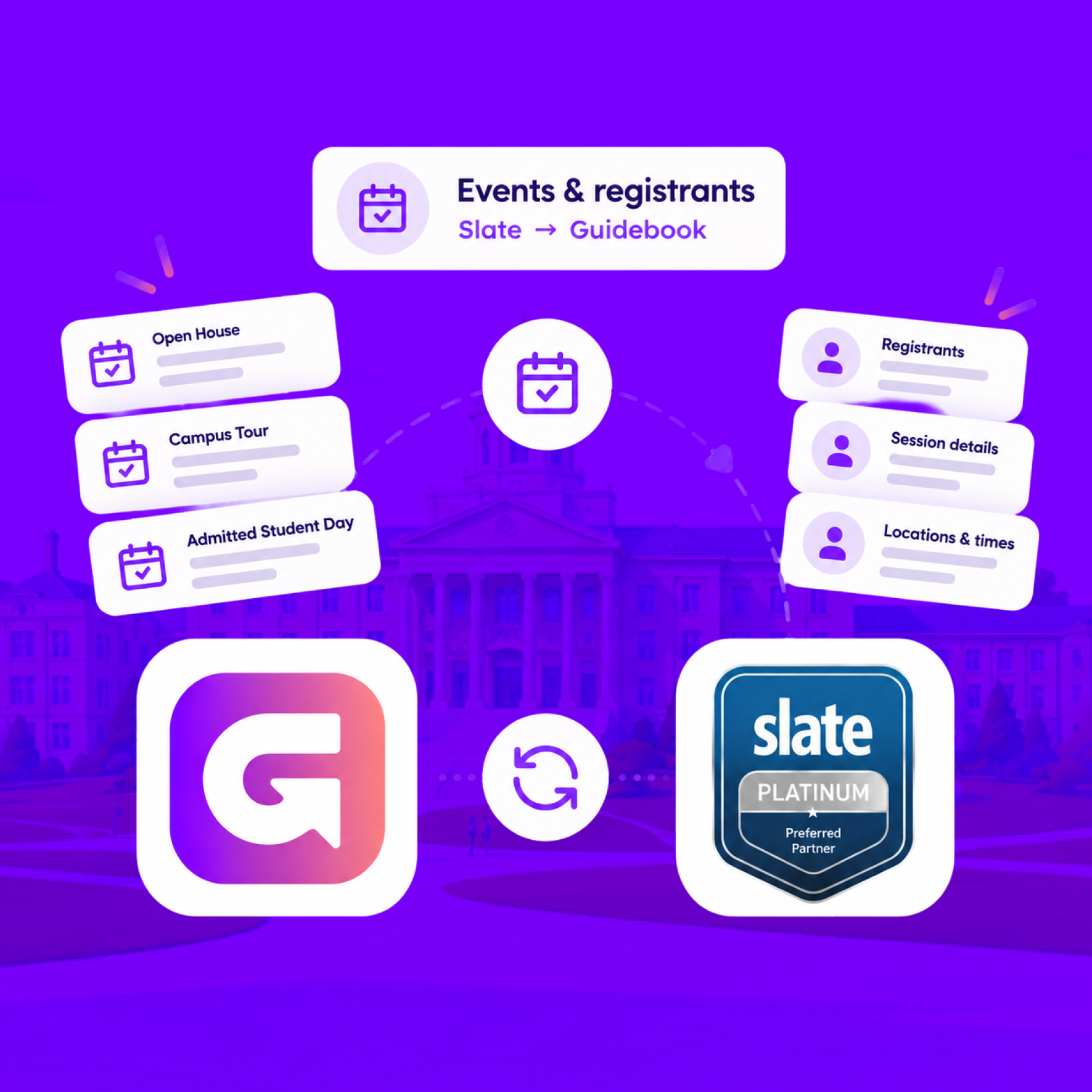
Link a Slate folder to a guide. Every event becomes a session, and registrants are added automatically.
Build the campus event once in Slate
Link a Slate folder to a guide. Every event becomes a session, and registrants are added automatically.
Slate profiles, in the campus app
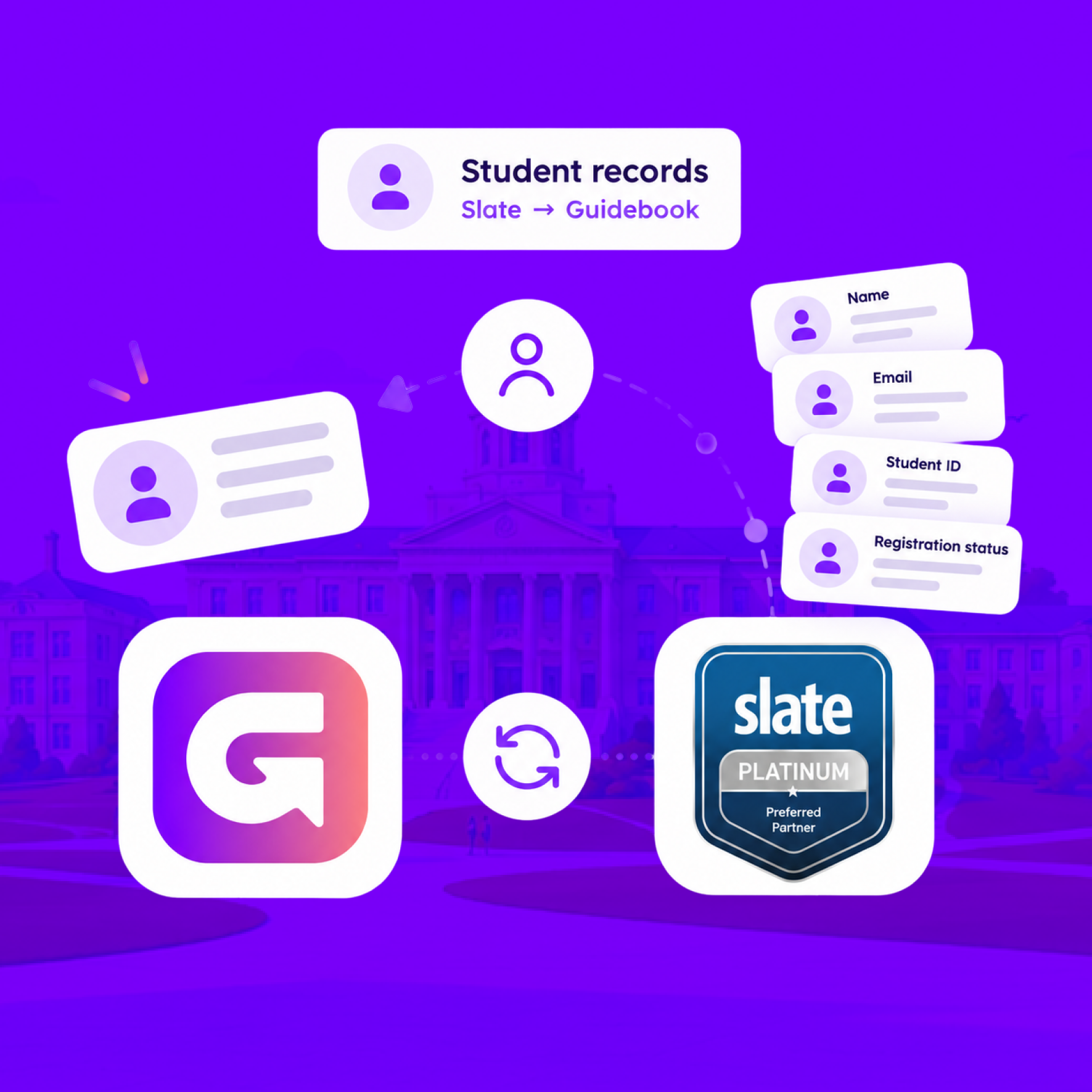
Match each student's Slate record to their Guidebook account, so college, major, and orientation details stay current on every sync.
Slate profiles, in the campus app
Match each student's Slate record to their Guidebook account, so college, major, and orientation details stay current on every sync.
Campus apps by department
Admissions, orientation, student life, and more — one campus app that works across departments.

Campus apps by department
Admissions, orientation, student life, and more — one campus app that works across departments.
Build unlimited event apps on one license
One partnership for unlimited campus events — orientation, tours, student life, and everything in between.
Build unlimited event apps on one license
One partnership for unlimited campus events — orientation, tours, student life, and everything in between.
Compare event app platforms
See how Guidebook stacks up against other event app and registration platforms.
Compare event app platforms
See how Guidebook stacks up against other event app and registration platforms.
Event apps for nonprofit and community programs
Give members, volunteers, and donors one branded app for conferences, fundraisers, and year-round community.
Event apps for nonprofit and community programs
Give members, volunteers, and donors one branded app for conferences, fundraisers, and year-round community.
Campus integrations and an open API
Connect Guidebook with the campus systems, APIs, and tools your team already uses.
Campus integrations and an open API
Connect Guidebook with the campus systems, APIs, and tools your team already uses.
Event apps for corporate and enterprise teams
Internal meetings, offsites, and large-scale corporate events — with the branding and control enterprise teams need.
Event apps for corporate and enterprise teams
Internal meetings, offsites, and large-scale corporate events — with the branding and control enterprise teams need.
Create a branded event app with no coding
Put schedules, maps, resources, and updates in every attendee's pocket — built for campus events and programs.
Create a branded event app with no coding
Put schedules, maps, resources, and updates in every attendee's pocket — built for campus events and programs.
Launch a branded, white-label event app
A white-label event app with your branding, your content, and your attendee experience — no coding required.
Launch a branded, white-label event app
A white-label event app with your branding, your content, and your attendee experience — no coding required.
Everything in the Guidebook platform
Explore the features event teams use to engage attendees before, during, and after the event.
Everything in the Guidebook platform
Explore the features event teams use to engage attendees before, during, and after the event.
One app for in-person and virtual attendees
The same schedule, networking, and updates whether people are in the room or joining remotely.
One app for in-person and virtual attendees
The same schedule, networking, and updates whether people are in the room or joining remotely.
Event apps built for associations
Annual meetings, chapter events, and member engagement — without rebuilding a new app every year.
Event apps built for associations
Annual meetings, chapter events, and member engagement — without rebuilding a new app every year.
A branded event website that matches the app
Promote the event, collect interest, and keep branding consistent from the first click to check-in.
A branded event website that matches the app
Promote the event, collect interest, and keep branding consistent from the first click to check-in.
Plan, run, and measure events on one platform
App, registration, badges, and websites in one workflow — so planning isn't a pile of disconnected tools.
Plan, run, and measure events on one platform
App, registration, badges, and websites in one workflow — so planning isn't a pile of disconnected tools.
Keep members engaged between events
One branded app for the conference and everything that happens the other 51 weeks of the year.
Keep members engaged between events
One branded app for the conference and everything that happens the other 51 weeks of the year.
The conference app attendees actually use
Schedules, maps, networking, and live updates for annual meetings, summits, and multi-day conferences.
The conference app attendees actually use
Schedules, maps, networking, and live updates for annual meetings, summits, and multi-day conferences.
Registration that feeds your app and badges
Collect registrations, payments, and attendee data in the same platform as your event app.
Registration that feeds your app and badges
Collect registrations, payments, and attendee data in the same platform as your event app.
Design and print event badges in one place
Custom badges, QR check-in, and on-site printing — without a separate badge vendor.
Design and print event badges in one place
Custom badges, QR check-in, and on-site printing — without a separate badge vendor.
A Smaller School?
Deliver a polished, branded event experience without a large team or a big budget.

A Smaller School?
Deliver a polished, branded event experience without a large team or a big budget.
Running Family Programs?
Give families everything they need, from schedules and maps to real-time updates, all in one place.

Running Family Programs?
Give families everything they need, from schedules and maps to real-time updates, all in one place.
Coordinating Move-In Day?
Share updates, manage events, and keep students informed from move-in through the academic year.

Coordinating Move-In Day?
Share updates, manage events, and keep students informed from move-in through the academic year.
Offering Campus Tours?
Deliver branded, self-guided tour experiences with interactive maps and rich media, available 24/7.

Offering Campus Tours?
Deliver branded, self-guided tour experiences with interactive maps and rich media, available 24/7.
Organising a Career Fair?
Simplify logistics for students, employers, and Career Services staff with one easy-to-use app.

Organising a Career Fair?
Simplify logistics for students, employers, and Career Services staff with one easy-to-use app.
Managing Alumni Events?
Plan reunions, regional events, and fundraising campaigns with an app built for alumni engagement.

Managing Alumni Events?
Plan reunions, regional events, and fundraising campaigns with an app built for alumni engagement.
Boost Student Engagement
One hub for schedules, resources, and events that keeps students connected throughout the academic year.

Boost Student Engagement
One hub for schedules, resources, and events that keeps students connected throughout the academic year.
Planning Orientation?
Help new students feel prepared from day one with schedules, campus resources, and real-time updates in one app.

Planning Orientation?
Help new students feel prepared from day one with schedules, campus resources, and real-time updates in one app.
Running Admissions Events?
Manage open houses, tours, and yield events with a branded app that saves time and engages prospective students.

Running Admissions Events?
Manage open houses, tours, and yield events with a branded app that saves time and engages prospective students.
Get a custom Sponsorship Package Template
Stop starting from scratch. Grab free templates that helWe'll build a tailored sponsorship package with suggested pricing, tiers, and benefits..for your specific event.p you build professional sponsorship packages and close deals faster.

Get a custom Sponsorship Package Template
Stop starting from scratch. Grab free templates that helWe'll build a tailored sponsorship package with suggested pricing, tiers, and benefits..for your specific event.p you build professional sponsorship packages and close deals faster.
Plan Your Next Event Without Missing a Beat.
From venue selection to post-event wrap-up, this free checklist walks you through every step (so nothing falls through the cracks).
.avif)
Plan Your Next Event Without Missing a Beat.
From venue selection to post-event wrap-up, this free checklist walks you through every step (so nothing falls through the cracks).
Real Results From Real Events
100,000+ organizations trust Guidebook. See exactly how universities, associations, enterprises, and more put it to work.

Real Results From Real Events
100,000+ organizations trust Guidebook. See exactly how universities, associations, enterprises, and more put it to work.
Flexible pricing for every event size
Find the perfect plan for your needs, from intimate gatherings to large-scale conferences.

Flexible pricing for every event size
Find the perfect plan for your needs, from intimate gatherings to large-scale conferences.
Join our event experts
Watch on-demand webinars and join live sessions with industry leaders sharing best practices for event success.
.avif)
Join our event experts
Watch on-demand webinars and join live sessions with industry leaders sharing best practices for event success.
Guidebook in Action
Book a personalized walkthrough and discover how we help event teams create better attendee experiences.
Guidebook in Action
Book a personalized walkthrough and discover how we help event teams create better attendee experiences.
The Complete Guide to the Best Event Apps and Platforms in 2026
.avif)




The Complete Guide to the Best Event Apps and Platforms in 2026
Your attendees are constantly checking their phones during your event. The question is: are they looking at your event app or scrolling Instagram because they can't find the session they want.
The right event app turns that phone into a tool for engagement rather than distraction. Schedules, maps, networking, real-time updates: all in one place, all easy to find.
But here's the thing: not all event apps are built the same.
Some are true native mobile apps. Others are web pages dressed up to look like one.
Some are built for massive enterprise operations. Others shine for universities, associations, or teams running events year-round.
All this means the "best" app depends entirely on what you're trying to accomplish.
This guide breaks down:
- What to look for in an event app.
- How the top platforms compare.
- Which app actually fits your event type.
By the end of this post, you'll know exactly which app is right for your event.
Let’s get into it!
What Is an Event App
An event app (also called a mobile event app or conference mobile app) is a smartphone application that puts all event information in one place for attendees. Think of it as a digital hub that replaces printed programs, scattered emails, and the constant "where do I go next?" questions.
A typical event app includes:
- Schedules and agendas: Session times, speaker details, and room locations.
- Interactive maps: Venue navigation for rooms, exhibitor booths, and amenities.
- Networking tools: Attendee directories and in-app messaging.
- Real-time notifications: Instant updates about schedule changes or announcements.
One distinction worth understanding early: not all event apps work the same way.
Some are true native mobile apps built specifically for iOS and Android, while others are web-based apps (websites that are responsive or can adapt to a mobile phone).
This difference matters from a technical aspect as well as from a branding aspect (native apps means attendees see your brand on the app stores, not the vendor’s).
In addition, “the best event app” depends on what you're trying to accomplish. For example:
- Whova works well for large conferences with heavy networking.
- Eventee offers a clean interface for mid-size events.
- Swapcard provides AI-driven attendee matchmaking for trade shows.
- Guidebook provides fully white-labeled, native apps (with the option for Unlimited events pricing) that is ideal for universities, associations, and enterprises).
We’ll get into more detail about vendors and which ones are suitable for different event types.
Why Event Planners Need a Mobile Event App
If you're managing a conference, campus event, or corporate gathering, you already know how quickly information gets scattered.
Attendees email asking about session times, while speakers need room changes communicated instantly. Printed programs become outdated the moment something shifts.
A mobile event app creates a single source of truth that everyone can access. Beyond the convenience that these apps provide, they also:
- Reduce confusion: One trusted place for schedules, maps, hotel information, and much more.
- Streamline communication: Push notifications replace frantic email chains.
- Boost engagement: Live polls, Q&A, and networking features drive participation.
- Support sustainability goals: No more printing hundreds of paper programs.
- Provide rich analytics and insights: Track popular sessions and see which features attendees actually use.
For planners, the real value is peace of mind: when something changes, you can update the app instantly rather than scrambling to print addendums.
Essential Event App Features
When evaluating event apps, your main focus should be on features that directly impact attendee experience and planner efficiency.
While there are multiple dozens of features that each vendor offers, the eight features listed are the ones we see as must-haves or non-negotiables.
1. Personalized Schedules and Agendas
Attendees want to build their own experience. Look for apps that let them select sessions, create custom schedules, and sync to personal calendars. Session reminders can be the difference between a packed room and empty seats.
2. Interactive Maps and Wayfinding
Large venues are disorienting, especially for first-time attendees. Interactive maps help people find specific rooms, exhibitor booths, and amenities. For venues with spotty connectivity, offline-capable maps become essential.
3. Push Notifications and Real-Time Updates
When a session moves to a different room or a keynote runs late, attendees want to know immediately. Push notifications deliver instant alerts without requiring people to check email. The key is using them strategically—too many notifications and attendees start ignoring them.
4. Attendee Networking and Messaging
Events are about connections. Features like attendee directories, in-app messaging, and AI-powered matchmaking help participants find relevant people to meet. Some platforms facilitate networking before the event even starts.
5. Live Polls, Q&A, and Engagement Tools
Interactive features transform passive audiences into active participants. Live polling during sessions, audience Q&A, and gamification keep attendees engaged and give speakers real-time feedback.
6. Sponsor and Exhibitor Visibility
Sponsors and exhibitors want exposure. Event apps can showcase them through banner ads, dedicated profiles, and sponsored push notifications. This creates revenue opportunities for planners while delivering value to partners.
7. Analytics and Reporting
Understanding what worked requires data. The best event apps track session attendance, feature usage, and engagement rates. This information helps you measure ROI and improve future events.
8. Offline Access
Here's where the native app vs. web app distinction really matters. True native mobile apps store data locally on devices, so attendees can access schedules and maps even when WiFi fails. Web-based apps typically require connectivity—problematic in crowded convention centers where networks get overwhelmed.
How to Choose the Best Mobile Event App
With dozens of mobile event apps available, choosing the right one requires evaluating your specific needs against each platform's strengths.
Step 1: Evaluate User Experience and Interface Design
Attendees won't use a confusing app. Look for intuitive navigation, fast load times, and clean design. Before committing, test the app yourself—if you find it frustrating, your attendees will too.
Step 2: Assess Branding and Customization Options
Your event app represents your organization. White-labeling options (your logo, colors, custom app icon) create a professional impression. There's also a meaningful difference between having your own branded app in the app stores versus being one event among many in a generic container app.
Step 3: Check Integration Capabilities
Your event app doesn't exist in isolation. Common integrations to look for:
- Registration systems: Attendee data flows automatically
- CRMs: Salesforce, HubSpot, or similar platforms
- Marketing automation tools: For follow-up sequences
- Badge printing systems: Streamlined check-in
Step 4: Compare Pricing Models
Event app pricing varies significantly. Understanding common structures helps you calculate true costs:
Some platforms advertise attractive starting prices but charge extra for branded apps, premium support, or advanced features. Ask about total cost of ownership, not just the headline number.
Step 5: Review Customer Support and Onboarding
There's a meaningful difference between submitting a support ticket and having someone who knows your event pick up the phone. For high-stakes events, consider whether you get a dedicated contact, what typical response times look like, and whether support is available during your live event.
The Best Event Apps for Conferences and Events
We've evaluated leading mobile event apps based on features, usability, pricing transparency, and customer support. Here’s our overview of the top 10.
Guidebook
Best for: Higher education, associations, and organizations running multiple in-person events
Guidebook provides true native mobile apps for iOS and Android. Attendees download your white-labeled app directly from the app stores (and they never see Guidebook's branding). The platform stores guide information locally on devices, so schedules, maps, and key content remain accessible even when venue WiFi fails.
In addition, Guidebook's pricing is all-inclusive across all plans. That means planners pay a flat fee and get access to all tools —event app builder, event website builder, registration, and badges — without hidden or surprise upgrade fees. Every customer also gets a dedicated Account Manager.
The platform is trusted by 75% of the top 50 U.S. colleges, including Purdue, Princeton, MIT, and Stanford.
Considerations: Guidebook is designed for in-person experiences. If you're running primarily virtual webinars, other platforms may be more suitable.
Whova
Best for: Large conferences prioritizing attendee networking
Whova has built a solid reputation for helping attendees connect thanks to robust matchmaking, in-app messaging, community boards, and a social wall that keeps conversations going between sessions. Live polling and Q&A also round out the engagement toolkit.
Considerations: Whova is a web-based app, which means it depends on a reliable internet connection. At busy convention centers where WiFi gets overwhelmed, that can be a real problem. Some users also report notification overload and a steeper learning curve than expected.
Eventee
Best for: Mid-size conferences wanting quick setup without complexity
Eventee is built for speed and simplicity, with reviewers consistently noting that they can get up and running without any real learning curve. Their pricing is transparent, with all plans publicly listed and no hidden fees. It's a self-service platform, so it works best for teams that are comfortable building on their own.
Considerations: As events grow in complexity, Eventee's feature set can start to feel limiting. If you need deep customization or white-labeled branding, you may hit a ceiling.
EventMobi
Best for: Corporate events requiring enterprise integrations
EventMobi is a strong fit for corporate teams that need their event app to talk to other systems. It connects cleanly with CRMs and marketing tools, includes native live streaming, and gives you a lot of control over how your branded event space looks and feels.
Considerations: Pricing reflects the enterprise focus; smaller organizations or teams with tighter budgets may find better value elsewhere.
Swapcard
Best for: Trade shows and B2B events where networking drives value
Swapcard's AI-powered matchmaking does the heavy lifting of connecting the right people: attendees get relevant suggestions instead of scrolling through hundreds of profiles hoping something clicks. The platform also handles lead capture and exhibitor tools well, making it a natural fit for trade show floors.
Considerations: The AI features take some getting used to, and if your event is smaller or more straightforward, you may not get enough value to justify the cost.
Cvent Attendee Hub
Best for: Large enterprises with dedicated event teams and substantial budgets
Cvent is the enterprise heavyweight of the event tech world and they cover everything from venue sourcing and registration to the attendee-facing app and deep analytics, all under one roof.
Considerations: Cvent’s breadth of scope comes with real complexity and a price tag to match. Teams without a dedicated event operations function often find it to be more platform than they actually need.
Bizzabo
Best for: Marketing teams measuring event ROI
If your event team reports to marketing, Bizzabo is worth a close look. It's built to connect event data directly into your broader marketing stack: CRM integrations, attribution tracking, and analytics that help you tell the revenue story of your events.
Considerations: It's a premium product with premium pricing and it works best when there's real budget behind it, plus stakeholders who care about event ROI data.
Sched
Best for: Academic conferences and multi-track events focused on schedule management
Sched does one thing especially well: managing complex, multi-track schedules with lots of speakers. The built-in "Call for Papers" workflow makes it a natural choice for academic conferences, and a free tier means smaller gatherings can get started without any upfront commitment.
Considerations: If engagement features (such as live polls, networking, gamification) matter as much as the schedule, you may find Sched a bit lean compared to fuller-featured platforms.
Yapp
Best for: Small, straightforward events needing quick setup
Yapp offers a simple, quick-to-build mobile app for small, low-complexity events. It's quick to build, easy to navigate, and doesn't require any technical know-how to get started.
Considerations: The simplicity is also the ceiling. Once your event grows in size or complexity, Yapp's feature set may not keep pace.
Accelevents
Best for: Hybrid events blending virtual and in-person experiences
Accelevents is built specifically for hybrid; not "we added a livestream button," but hybrid where in-person attendees and remote participants get a connected experience (as opposed to two separate ones stitched together).
Considerations: That hybrid-first focus is a strength and a trade-off. If your events are entirely in-person, you're paying for a lot of capability you won't use.
Event App Pricing Comparison
Event app costs vary widely based on features, attendee volume, and support level.
Typically included:
- Basic app builder access
- Standard templates
- Core features (schedule, maps, notifications)
Often costs extra:
- White-labeled apps in app stores
- Advanced analytics
- Dedicated support or account management
- Integrations with third-party tools
All-in-one pricing models eliminate surprise fees and simplify budgeting for organizations running multiple events.
Best Event Apps by Event Type
Different event types have different requirements.
Best Conference and Trade Show Apps
Conferences and trade shows put a lot of demands on an event app all at once.
You need strong exhibitor and sponsor features, interactive floor maps, lead retrieval, and networking tools, ideally working smoothly even when the convention center WiFi is getting hammered by 5,000 attendees.
That last part is why native offline capability matters so much in this context.
Top Choices: Guidebook (offline-first, native app), Swapcard (AI-powered networking and lead capture), Whova (community and engagement).
Best University and Campus Event Apps
Campus life doesn't run on one event a year. Universities are running orientation, athletics, campus tours, department events, and everything in between…all year, every year.
That means a per-event pricing model gets expensive fast, and a platform that requires starting from scratch each time creates unnecessary work.
Look for platforms built to support multiple ongoing events under a single subscription.
Top Choice: Guidebook is used by 75% of the top 50 U.S. colleges for exactly this reason. Not only does it offer Unlimited events pricing, but the features are a perfect fit for the rhythm of campus life, not just a one-off gathering.
Best Corporate and Enterprise Event Apps
Corporate events come with IT requirements that consumer-facing platforms often overlook.
Single sign-on (SSO), CRM integrations, strict brand standards, and data security aren't nice-to-haves; they're non-negotiables for most enterprise teams.
Top Choices: EventMobi and Cvent Attendee Hub both handle this well. Guidebook also supports SSO and enterprise-grade security for organizations with those requirements.
Best Association Event Apps
For associations, the event app isn't just for the annual conference; it's part of how you stay connected with members all year.
Between chapter events, networking meetups, board meetings, continuing education sessions, costs for association events add up quickly.
A per-event pricing model punishes that kind of volume.
Instead, look for platforms with flat annual pricing and unlimited events, so you're not doing a cost-benefit calculation every time someone wants to spin up an app.
Top Choice: Guidebook's unlimited events model was built with exactly this use case in mind, supporting member engagement year round.
Native Mobile Apps vs Web-Based Event Apps
This distinction matters more than many planners realize.
- Native mobile apps: Built specifically for iOS and Android, downloaded from app stores, store data on the device for offline access
- Web-based apps: Run in a mobile browser, require internet connectivity, no app store download needed
How to Increase Event App Adoption
An event app only delivers value if attendees actually use it.
Promote the App Before Your Event
Include app download instructions in confirmation emails, on your event website, and in pre-event communications. A short video tutorial showing how to navigate the app can reduce friction.
Make Download and Login Simple
Minimize barriers to entry. Avoid requiring account creation if possible, and use magic links or QR codes for quick access.
Train Staff to Encourage Usage
Brief registration staff, speakers, and volunteers to direct attendees to the app. On-site signage with QR codes helps.
Send Strategic Push Notifications
Use push notifications to demonstrate value—session reminders, room changes, networking prompts. However, over-notifying leads to attendees disabling notifications entirely.
How to Measure Event App Success
Tracking the right metrics helps you evaluate your mobile event app's impact.
Key metrics to monitor:
- Download and login rates: What percentage of attendees accessed the app?
- Active usage: How often did attendees open the app during the event?
- Feature engagement: Which features were used most?
- Session check-ins: Did attendees use the app to track attendance?
- Feedback and ratings: What did attendees say in post-event surveys?
The best event apps provide built-in analytics dashboards to surface insights automatically.
Find the Right Event App for Your Organization
The best mobile event app depends on your event type, audience size, budget, and technical requirements. Rather than chasing the longest feature list, prioritize what actually matters:
- Reliability: Native offline functionality for in-person events
- Support: A true partner, not just a software vendor
- Simplicity: Tools that reduce complexity rather than add to it
- Transparency: Pricing that doesn't surprise you with hidden fees
Ready to see how Guidebook can simplify your next event? Book a demo to explore the platform with our team.
FAQs About Mobile Event Apps
[faq]
Q: What is the difference between an event app and event management software?
A: An event app is the attendee-facing mobile experience—schedules, maps, networking, and engagement features. Event management software typically refers to backend tools planners use for registration, logistics, and reporting. Many platforms now combine both.
Q: Can one event app support multiple events throughout the year?
A: Yes. Many platforms allow organizations to create unlimited events within a single app or branded space. This approach works well for associations, universities, and companies with recurring programming.
Q: How do event apps handle last-minute schedule changes?
A: Most event apps allow organizers to update schedules in real-time, with changes pushed instantly to all attendees.
Q: What accessibility features do event apps typically include?
A: Look for apps with screen reader compatibility, adjustable text sizes, high-contrast modes, and clear navigation.
Q: How can event planners sell sponsorships within their event app?
A: Event apps typically offer sponsorship opportunities through banner ads, sponsored push notifications, featured listings in exhibitor directories, and branded content in social feeds.
Q: Are there free event apps available for small events?
A: Some platforms offer free tiers with limited features (like Sched), but most robust mobile event apps require paid plans.
[/faq]

Get the Mobile App Playbook
A short guide to running the whole student journey in one app. No fluff, just what works.
for higher ed
Campus
Playbook
A practical guide to building a connected campus experience.
Free playbook
The Mobile App Playbook for Universities
Students decide if they belong long before they set foot on campus. This playbook shows how to win them over from the first visit through graduation.
- Grow enrollment and boost recruitment
- Increase belonging and retention
- Run every event from one branded app
By submitting, you agree to our Privacy Policy.
You're in.
.png)