A Smaller School?
Deliver a polished, branded event experience without a large team or a big budget.
A Smaller School?
Deliver a polished, branded event experience without a large team or a big budget.
Running Family Programs?
Give families everything they need, from schedules and maps to real-time updates, all in one place.
Running Family Programs?
Give families everything they need, from schedules and maps to real-time updates, all in one place.
Coordinating Move-In Day?
Share updates, manage events, and keep students informed from move-in through the academic year.

Coordinating Move-In Day?
Share updates, manage events, and keep students informed from move-in through the academic year.
Offering Campus Tours?
Deliver branded, self-guided tour experiences with interactive maps and rich media, available 24/7.

Offering Campus Tours?
Deliver branded, self-guided tour experiences with interactive maps and rich media, available 24/7.
Organising a Career Fair?
Simplify logistics for students, employers, and Career Services staff with one easy-to-use app.

Organising a Career Fair?
Simplify logistics for students, employers, and Career Services staff with one easy-to-use app.
Managing Alumni Events?
Plan reunions, regional events, and fundraising campaigns with an app built for alumni engagement.
Managing Alumni Events?
Plan reunions, regional events, and fundraising campaigns with an app built for alumni engagement.
Boost Student Engagement
One hub for schedules, resources, and events that keeps students connected throughout the academic year.
Boost Student Engagement
One hub for schedules, resources, and events that keeps students connected throughout the academic year.
Planning Orientation?
Help new students feel prepared from day one with schedules, campus resources, and real-time updates in one app.
Planning Orientation?
Help new students feel prepared from day one with schedules, campus resources, and real-time updates in one app.
Running Admissions Events?
Manage open houses, tours, and yield events with a branded app that saves time and engages prospective students.

Running Admissions Events?
Manage open houses, tours, and yield events with a branded app that saves time and engages prospective students.
5 Ready-to-Use Sponsorship Package Templates
Stop starting from scratch. Grab free templates that help you build professional sponsorship packages and close deals faster.

5 Ready-to-Use Sponsorship Package Templates
Stop starting from scratch. Grab free templates that help you build professional sponsorship packages and close deals faster.
Plan Your Next Event Without Missing a Beat.
From venue selection to post-event wrap-up, this free checklist walks you through every step (so nothing falls through the cracks).
.png)
Plan Your Next Event Without Missing a Beat.
From venue selection to post-event wrap-up, this free checklist walks you through every step (so nothing falls through the cracks).
Real Results From Real Events
100,000+ organizations trust Guidebook. See exactly how universities, associations, enterprises, and more put it to work.

Real Results From Real Events
100,000+ organizations trust Guidebook. See exactly how universities, associations, enterprises, and more put it to work.
Flexible pricing for every event size
Find the perfect plan for your needs, from intimate gatherings to large-scale conferences.

Flexible pricing for every event size
Find the perfect plan for your needs, from intimate gatherings to large-scale conferences.
Join our event experts
Watch on-demand webinars and join live sessions with industry leaders sharing best practices for event success.
.jpeg)
Join our event experts
Watch on-demand webinars and join live sessions with industry leaders sharing best practices for event success.
Guidebook in Action
Book a personalized walkthrough and discover how we help event teams create better attendee experiences.
Guidebook in Action
Book a personalized walkthrough and discover how we help event teams create better attendee experiences.
.png)
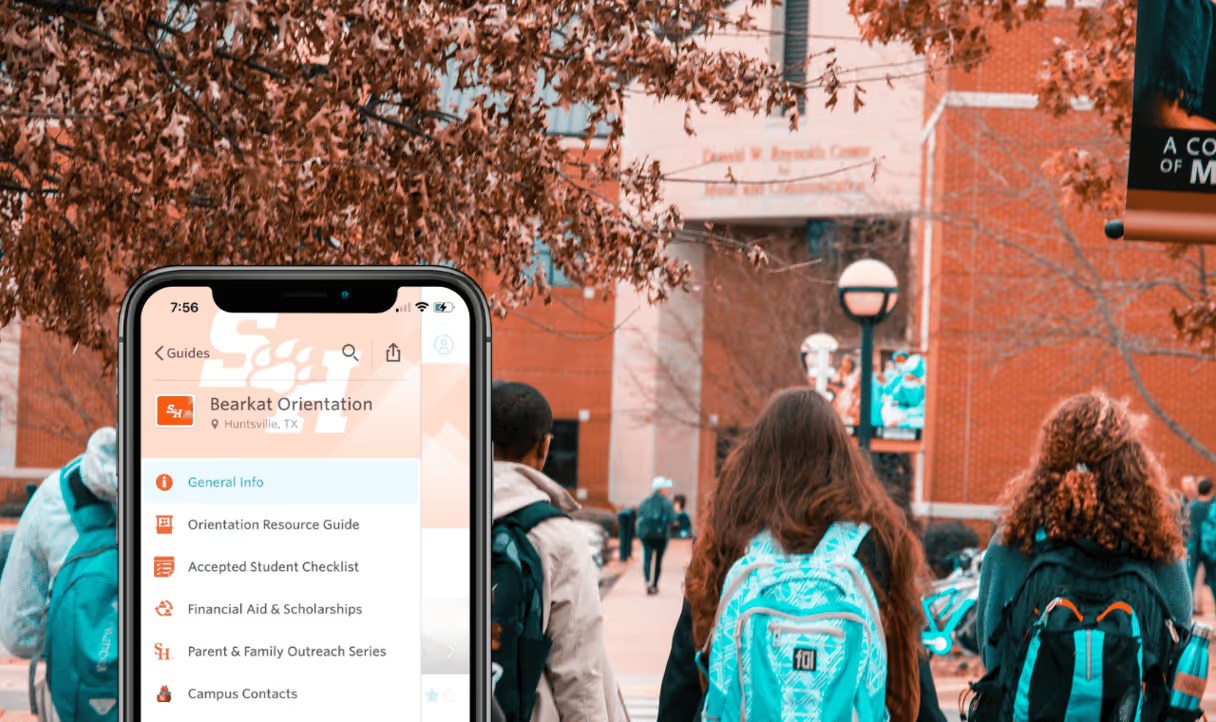
How to Create a College Orientation App (That Students Actually Want to Use)
New Student Orientation is one of the most important events your institution runs all year. It's a student's first real impression of campus life, and how smoothly it goes shapes how confident, connected, and committed they feel going into their first semester.
But there’s one challenge: you're communicating with hundreds (sometimes thousands) of incoming students, parents, transfer students, and grad students, all at once. All with different needs.
That's why so many orientation and student affairs teams have made the move to a dedicated mobile app. It’s the best way to meet students where they already are (on their phones!), while reducing repetitive emails or questions, and giving everyone a personalized experience.
In this guide, you'll learn:
- What a college orientation app is and why it works
- What to include in your app (and what makes it actually useful)
- How to use interactive features to drive engagement
- How to get students and families to download (and use) it
- How to manage multiple sessions and audiences in one app
What Is a College Orientation App?
A college orientation app is a mobile application that gives incoming students a single, centralized place to access everything they need during New Student Orientation, such as:
- Schedules
- Maps
- Checklists
- Resources
- Staff contacts
The app replaces printed packets, the scattered email chains, and the "just check the website" answers that never quite work.
The best orientation apps don't just inform students: they engage them, connect them to each other, and help them feel at home from day one.
What to Include in Your Orientation App
Think of your orientation app as the digital version of everything you'd otherwise stuff into a welcome packet, except it's always up to date and always in students’ pockets.
1. A Dynamic Event Schedule
The schedule is the heart of your app and every student wants to know where they need to be and when..
So, build a master schedule and then create separate tracks for each audience your orientation serves, such as new undergrad students, transfer students, graduate students, and families.
Segmenting by audience means students can easily find what's relevant to them, which reduces confusion and increases session attendance.
The real advantage over a printed schedule? You can easily update the app when last minute changes (room changes, speaker delays, weather-related moves) occur and notify everyone at once about the change.
2. Push Notifications
Speaking of real-time updates, push notifications are one of the most powerful tools in your orientation toolkit. Use them to:
- Welcome students to campus when they arrive
- Alert everyone when a session location changes
- Send reminders before high-priority events
- Share last-minute logistics (shuttle timing, dining hours, check-in lines)
Set up your notifications strategically and you'll see attendance climb, even at optional sessions.
3. Interactive Campus Maps
For a student who's never set foot on campus before, finding the right building on the first day is truly stressful. An interactive campus map inside your orientation app helps new students navigate independently, reducing the number of "where is this?" questions your staff fields during check-in.
Go beyond a basic map and pin key landmarks, dining options, health services, and student life offices so everything feels discoverable, not buried.
4. Student Checklists
Think about what a student needs to accomplish before classes start, such as:
- Moving into the dorm.
- Completing Title IX training.
- Activating their student ID card for dining and building access.
- Setting up their student email and university portal login.
- Completing FERPA acknowledgment forms.
- Purchasing or renting required textbooks and course materials.
Whatever the requirements are for your institution, the list is long and easy to lose track of.
5. FAQs
Your incoming students are going to have a lot of questions. Many of them are the same questions, asked over and over again.
A well-built FAQ section can meaningfully reduce call and email volume to your office in the weeks leading up to orientation.
The best source for what to include? Your student orientation leaders. They've heard every question and know which ones come up every single year.
You can also build a submission form into the app so students can ask questions directly, giving you great material to update the FAQ for next year.
6. Student Life and Campus Involvement
Orientation is the perfect moment to get students excited about campus life beyond the classroom. Use your app to highlight opportunities to join clubs, attend events, volunteer, and connect with student organizations.
The students who find their community early are the students who stay. And your app can help make those connections happen from day one.
7. Staff Directory
List your orientation team and key campus contacts with photos, roles, and contact information. This does two things: it makes your staff feel approachable and human, and it extends the usefulness of the app beyond orientation week itself.
Some schools take it a step further by setting up orientation-specific social media accounts for student leaders, giving incoming students a direct line to a peer who's been in their shoes.
8. Your Website and Key Resources
Your institution's orientation webpage is probably buried three clicks deep on a site with thousands of pages.
Link directly to it from within the app and while you're at it, include links to any resources students will need in their first weeks: the registrar, housing, financial aid, the campus health center, and academic advising.
Interactive Features That Set Your App Apart
Activity Feed
An activity feed turns your app from a static resource into a living community hub. Students and parents see relevant schedule items, share photos, and participate in discussions right from the home screen.
It's one of the most effective ways to drive repeat engagement with the app throughout the week.
Direct Messaging
Enable in-app messaging so your team can reach individual students directly to follow up on incomplete checklist items, share personalized information, or simply welcome them to campus with a personal touch.
Surveys and Polls
Want to know if a session landed well? Curious how students feel heading into their first week?
Share a quick survey or poll and collect real-time feedback while it's still fresh. This data is invaluable for improving your program year over year.
Shared Photo Album
A shared photo album is a surprisingly effective engagement driver. Students check the app to see what others are posting, and posting their own photos keeps them coming back.
It also gives your team a genuine, unfiltered look at the orientation experience through a student's eyes.
How to Drive App Downloads Before Students Arrive
Building a great app is only half the battle. The other half is getting students to use it.
Here's what the most successful orientation teams do:
Start early
The schools with the highest adoption rates start promoting their app weeks before orientation begins, not the day students arrive.
Give students time to download, explore, and get comfortable with it before they need it in a stressful moment.
Use multiple channels
A single email about the app won't cut it. Instead, promote it in your acceptance and welcome communications, on social media, in your orientation registration confirmation, and in any pre-arrival materials you send.
If you can make a short video showing students what the app looks like and why it's worth downloading, even better.
Make it the only source
Supplementing your app with printed booklets or parallel email updates can sometimes lead to lower download rates or app usage.
If the app is the only place to get the schedule, the maps, and the latest updates, students have every reason to download it. Treat it as the single source of truth and they will use it as such.
Make downloading part of check-in
When students arrive and are going through check-in, have student leaders ask the simple question: "Have you downloaded the orientation app?"
Have someone ready to help those who haven't. Catching this at the door means no one falls through the cracks.
Don't forget the families
Families are just as eager to stay informed as students are, and marketing the app to them doubles your reach. Parents and other family members can become an unexpected ally in getting students to download it too.
Managing Multiple Orientation Sessions
Most institutions don't run just one orientation session; they run several serving different cohorts of incoming students. With Guidebook, you can host multiple guides within a single app, one for each session or audience.
This matters more than it might seem.
A transfer student's orientation experience is fundamentally different from a first-year student's. A graduate student has different questions than an incoming freshman.
Creating separate guides for each session means each student sees only the information that's relevant to them — not a cluttered catch-all that they have to dig through.
Make It Look Like You
First impressions matter and your orientation app is part of the first impression your institution makes on incoming students.
A polished, well-branded app signals that your institution is organized, professional, and invested in the student experience.
A few things that make a real difference:
- Photos everywhere. Associate images with schedule items, staff listings, campus locations, and student life opportunities. A visual app feels welcoming in a way that a text-heavy one simply doesn't.
- Custom icons. Brand your app with icons that reflect your school's colors, mascot, or visual identity.
- Logical navigation. Organize your app menu the way a student would think about it, not the way your department is structured internally. What do students need first? Lead with that.
Frequently Asked Questions
[faq]
Q: What's the difference between an orientation app and a welcome week app?
A: They're the same thing — different institutions use different names. "New Student Orientation," "Welcome Weekend," "Welcome Week," and "Transition Week" all refer to the onboarding experience for incoming students. A single app can serve the entire period, from pre-arrival through the first week of classes.
Q: How far in advance should we build our orientation app?
A: Ideally, your app should be ready to promote 4–6 weeks before orientation begins. This gives you time to market it effectively and gives students time to download and explore it before they arrive on campus.
Q: Can families use the same app as students?
A: Yes, and they should. You can create separate tracks or guides within the same app for students and families, so each group sees the information most relevant to them. Marketing the app to families consistently drives higher overall adoption rates.
Q: How do students download and access the app?
A: With Guidebook, students download the Guidebook app from the App Store or Google Play and access your institution's guide by searching your school's name or scanning a QR code. You'll have a custom landing page to share in your pre-arrival communications.
Q: Can the app integrate with our existing systems?
A: Yes, event app platforms like Guidebook integrate with tools like Eventbrite, Cvent, Marketo, and Splash, and connects to 10,000+ systems via Zapier. If you have specific integration needs, Guidebook's team can walk you through what's possible.
Q: What does it cost to build an orientation app with Guidebook?
A: Guidebook uses flat-fee pricing across all of its plans. That means you get access to all tools (app builder, event website, registration, and badges) with no hidden upgrade fees. A dedicated Account Manager is also included at no extra cost.
[/faq]
Ready to Build Your Orientation App?
Guidebook powers campus events at 75% of the top 50 U.S. colleges and universities including Purdue, Princeton, MIT, and Stanford. Whether you're running a single welcome weekend or a summer-long series of orientation sessions, we'll help you build an app your students actually use.
Book a demo to see it in action, or explore our solutions for new student programs to learn how Guidebook supports the full student lifecycle.
Plan with Confidence, Not stress
Get the complete event planning checklist with pre-event prep, day-of setup, and post-event follow-up all in one place..